If someone’s Will leaves their share of the family home in trust, one of the first questions is when to tell HMRC. This guide shows how to register a property protection trust, what to have beside you and which boxes you’ll see on GOV.UK.
Watch the HMRC trust registration walkthrough
In just under three minutes, follow Maya as she registers the trust in her mum’s Will. Pause the video at any point and follow the matching picture below. The screens are Nene Legal illustrations. The live form changes according to your answers.
Watch on YouTube (2 min 58 sec)
Download the illustrated guide as a PDF to keep beside you while you fill in the form.
Why does a family Will trust need to be registered?
Imagine Pat and Lee own their home in equal shares as tenants in common. Pat’s Will lets Lee carry on living there and leaves Pat’s half to their daughter, Maya, later. Lee and Maya look after that share as trustees. These names are fictional.
HMRC’s Trust Registration Service records who put property into a trust, who looks after it and who can benefit. This is part of the UK’s anti-money-laundering rules. A family trust can need registration even when it owes no tax. While Pat is alive, signing her Will alone does not start this trust.
When does the two-year period start?
For this example, the Will specifically leaves Pat’s half of the home in trust. The estate is settled within two years, the trust holds only assets from Pat’s estate, it owes no UK tax and Lee still lives in the house two years later. Under the rules checked on 24 November 2026, the dates work like this.
- 24 November 2026 — Pat dies. This is the trust start date Maya enters on the form.
- 24 November 2028 — The two-year period ends. Pat’s continuing trust becomes registrable.
- 22 February 2029 — The 90-day registration window ends in this example.
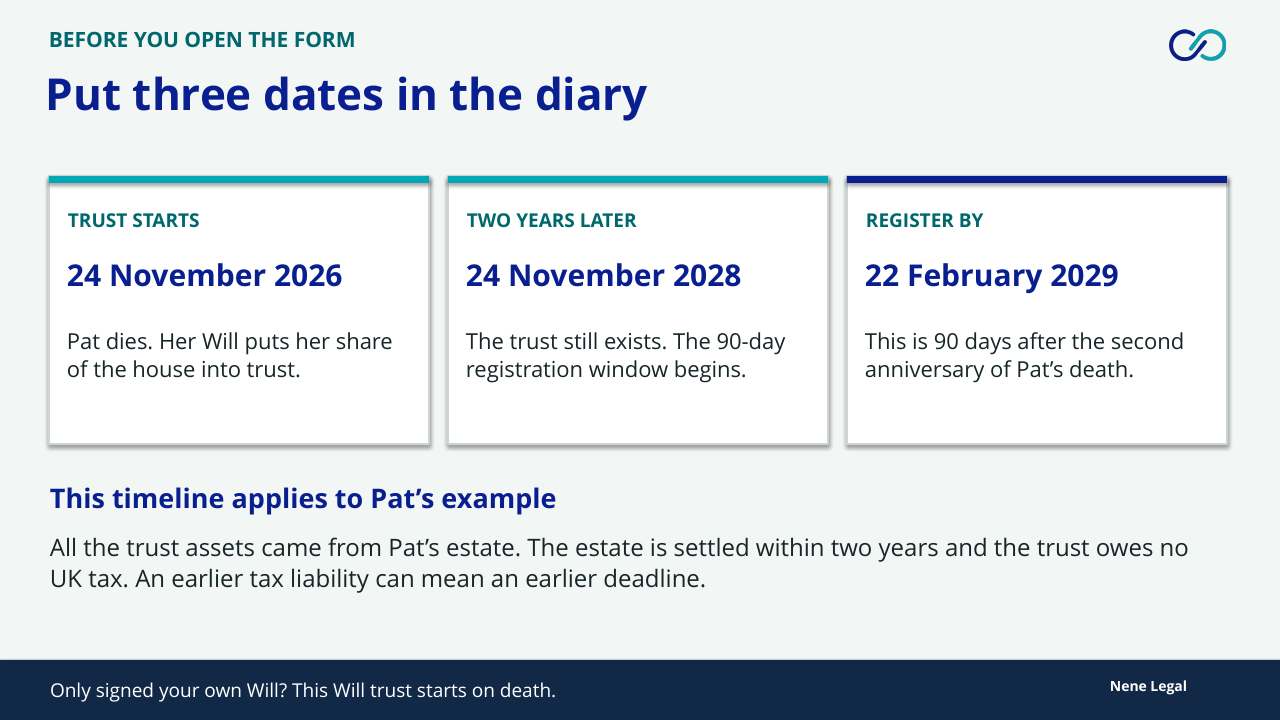
Check earlier if the trust owes UK tax or receives property from outside the estate. If it ends within two years and nothing triggered registration earlier, it usually does not need registering. Before using these example dates for another family, check HMRC’s Will trust rules.
What should I gather before I open GOV.UK?
Have the signed Will, any changes to it, the death certificate and the home ownership papers beside you. Gather the details of the people named in the trust, including full names, dates of birth, nationality, country of residence and addresses where requested. Have the lead trustee’s contact details and National Insurance number to hand if applicable.
How to register a property protection trust in 12 steps
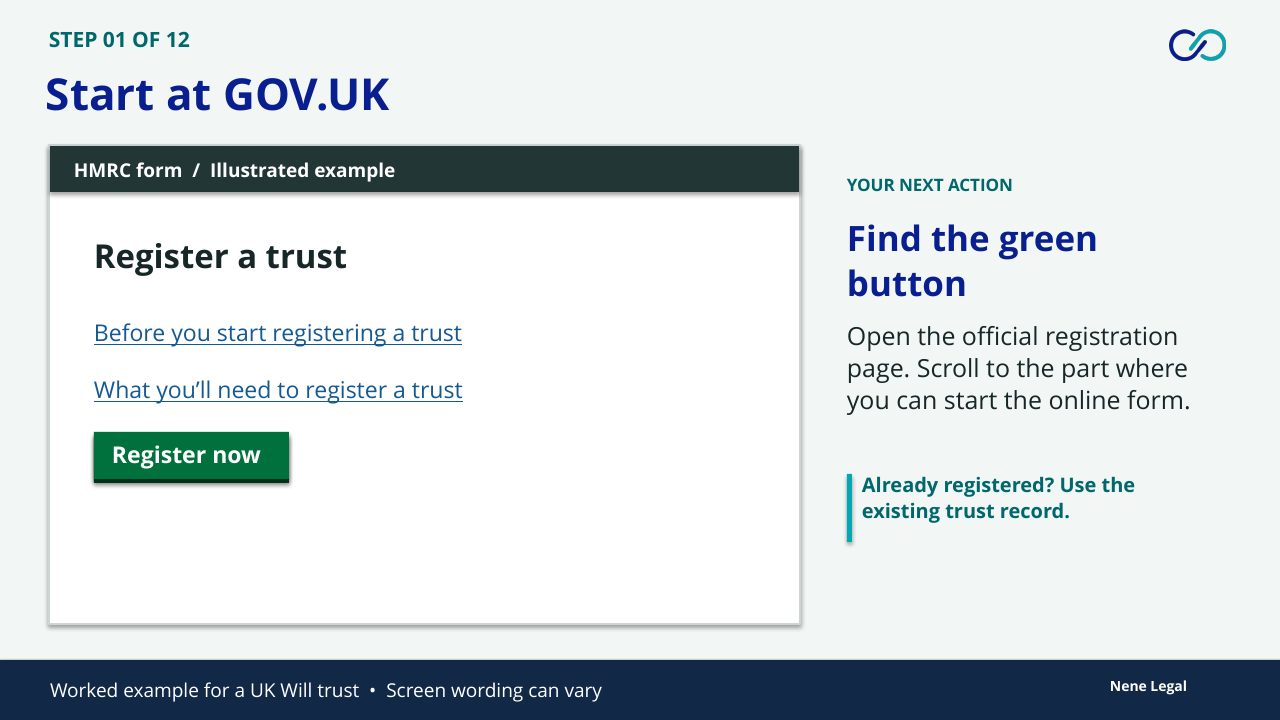
Step 1. Open the HMRC registration page
Open Register a trust on GOV.UK. Read the checklist, then find Register now. If a solicitor or another trustee helped with the estate, ask whether they have already registered this trust.
Step 2. Create a sign-in for this trust
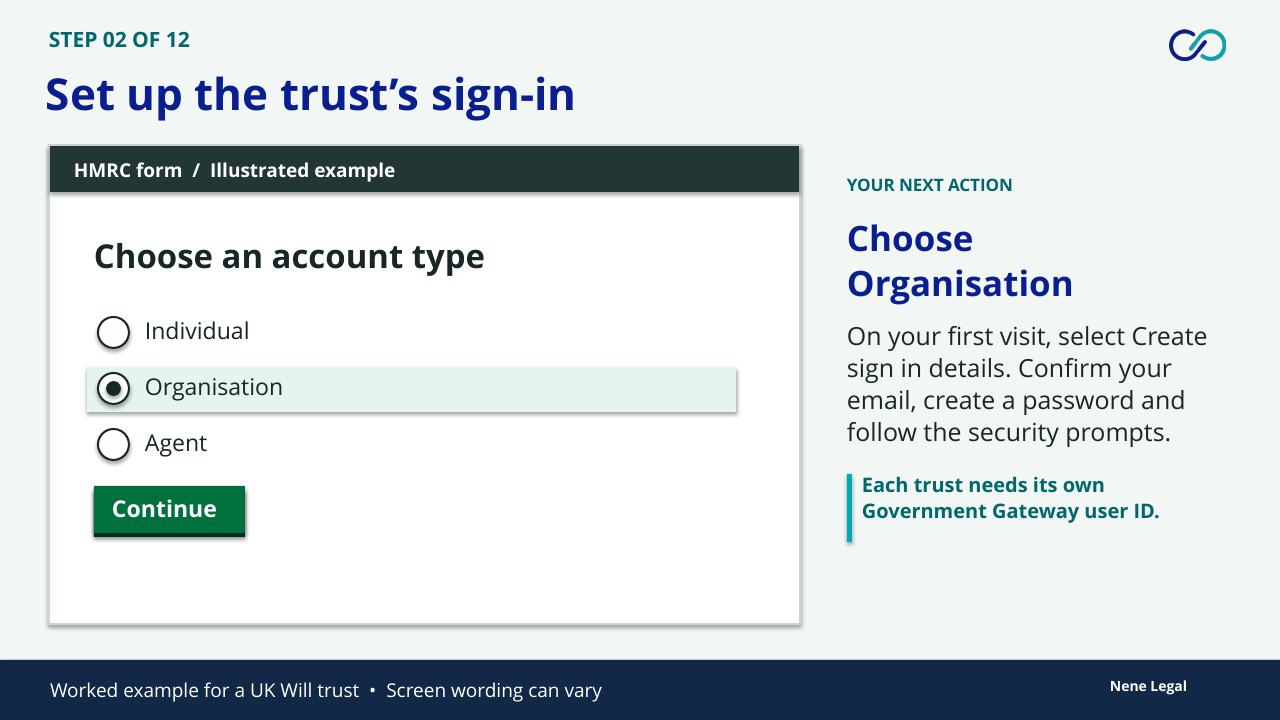
Choose Create sign in details if this trust needs its first account. Confirm your email, set a password and choose Organisation when asked for an account type. Keep the user ID safe. Each trust needs its own Organisation Government Gateway account.
Step 3. Answer the opening questions
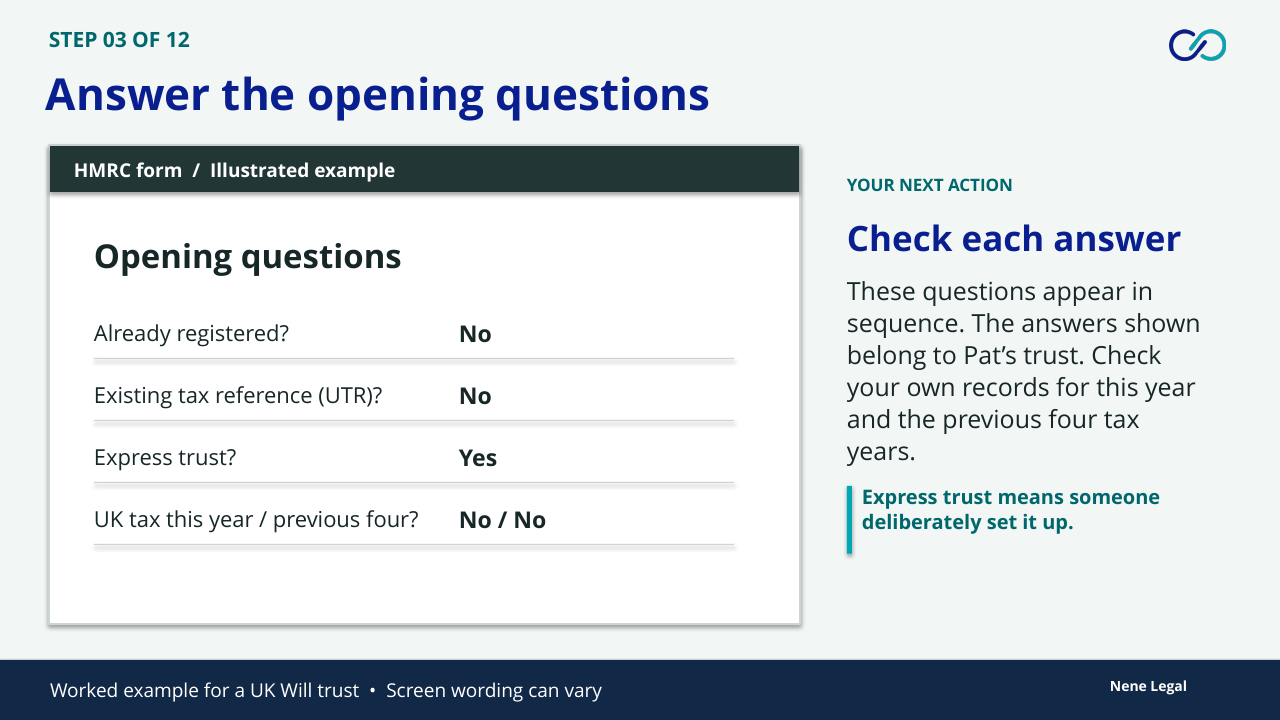
HMRC asks whether the trust is already registered, whether it has a tax reference (UTR), whether it is an express trust, and about UK tax this year and in the previous four tax years. Pat deliberately created the trust in her Will, so Maya answers yes to express trust. She checks the accounts before answering the tax questions.
Step 4. Find your way around the progress page
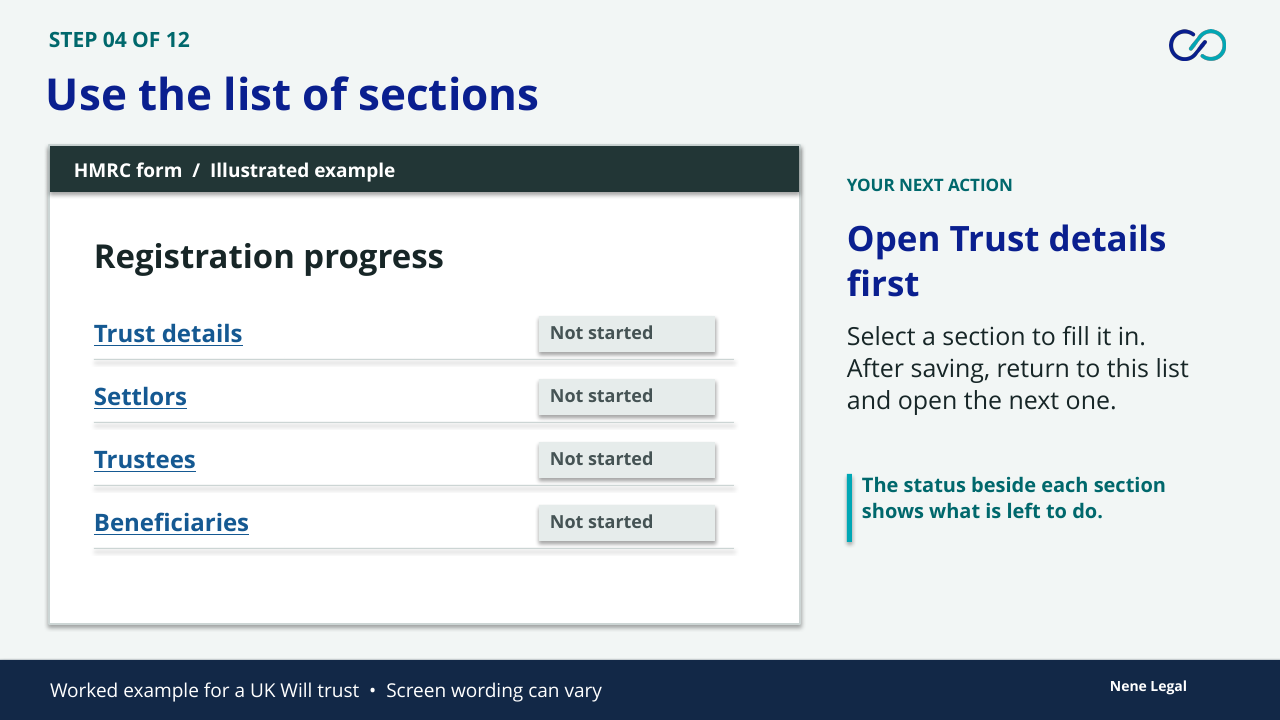
Think of Registration progress as a checklist. Open Trust details first. Each time you save a section, come back here to see what is left. HMRC keeps an unfinished registration for up to 28 days. You still need to send it by the deadline.
Step 5. Enter the trust name and start date
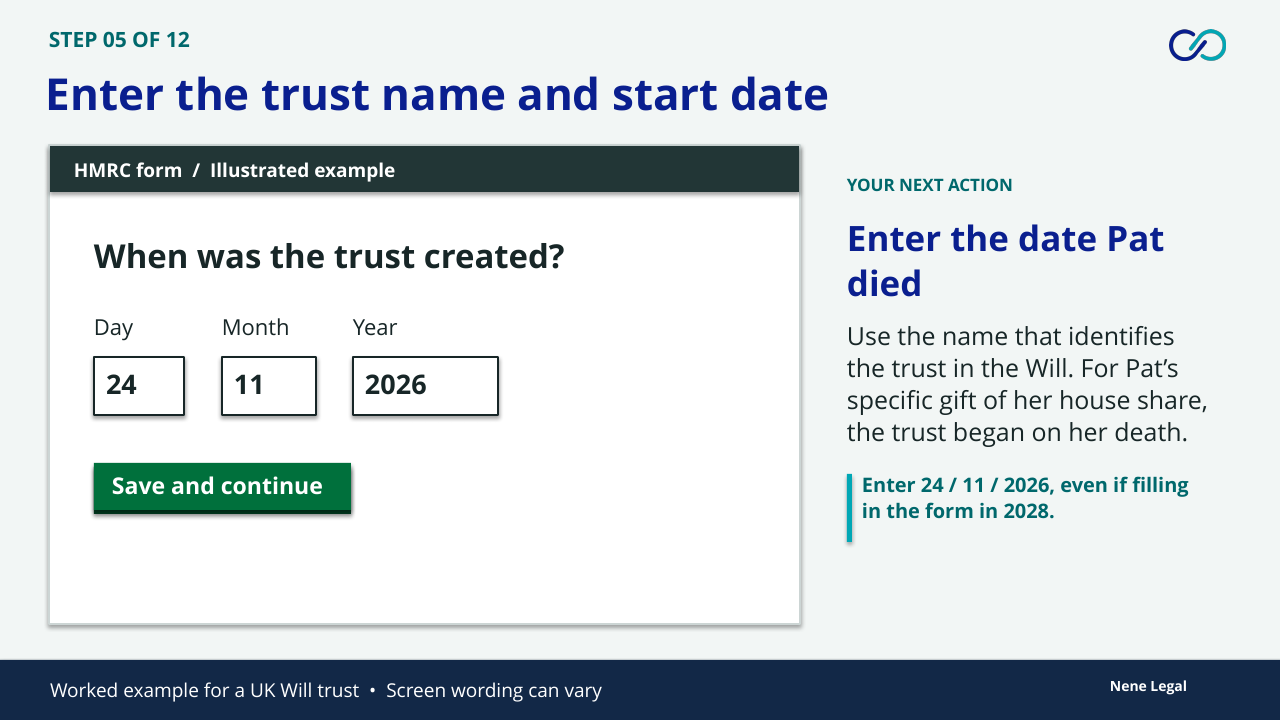
Use the trust name in the Will or estate papers. Pat left a specific share of her home, so Maya enters 24 / 11 / 2026, the day Pat died. The date in 2028 is the two-year anniversary. If the Will gives a share of whatever remains after the estate is settled, check when that trust began.
Step 6. Add the person who made the Will
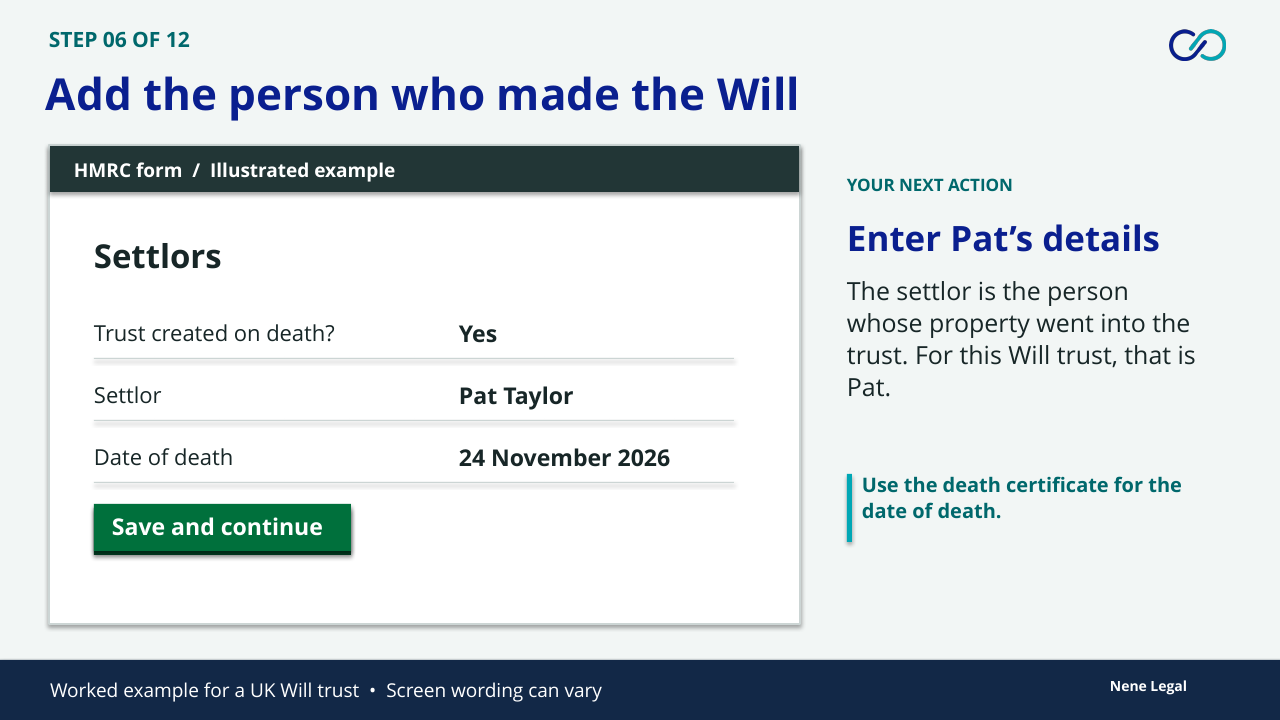
Open Settlors. A settlor is the person who put property into the trust. In this example that is Pat. Maya enters Pat’s full details and checks the date of death against the death certificate.
Step 7. Add the lead trustee and the other trustees
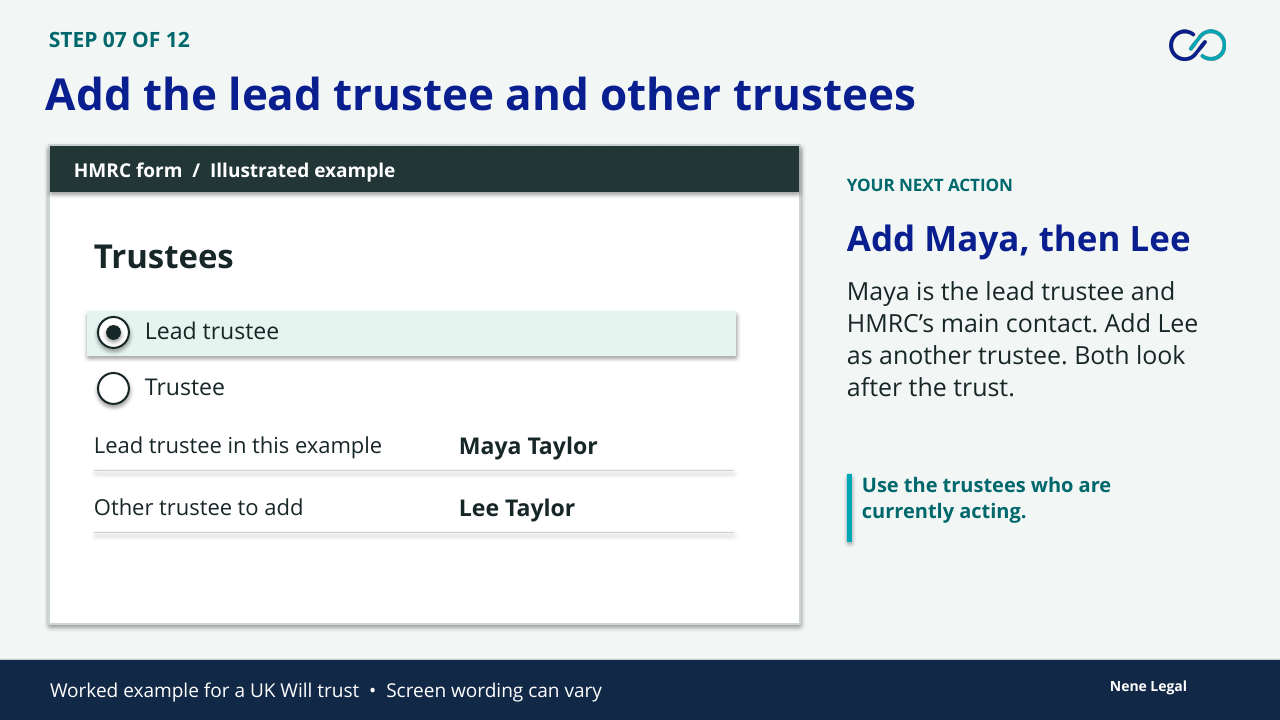
Trustees are the people responsible for looking after the trust. In Trustees, Maya adds herself as lead trustee because she will be HMRC’s main contact. She then adds Lee as the other acting trustee. Have their personal and contact details ready.
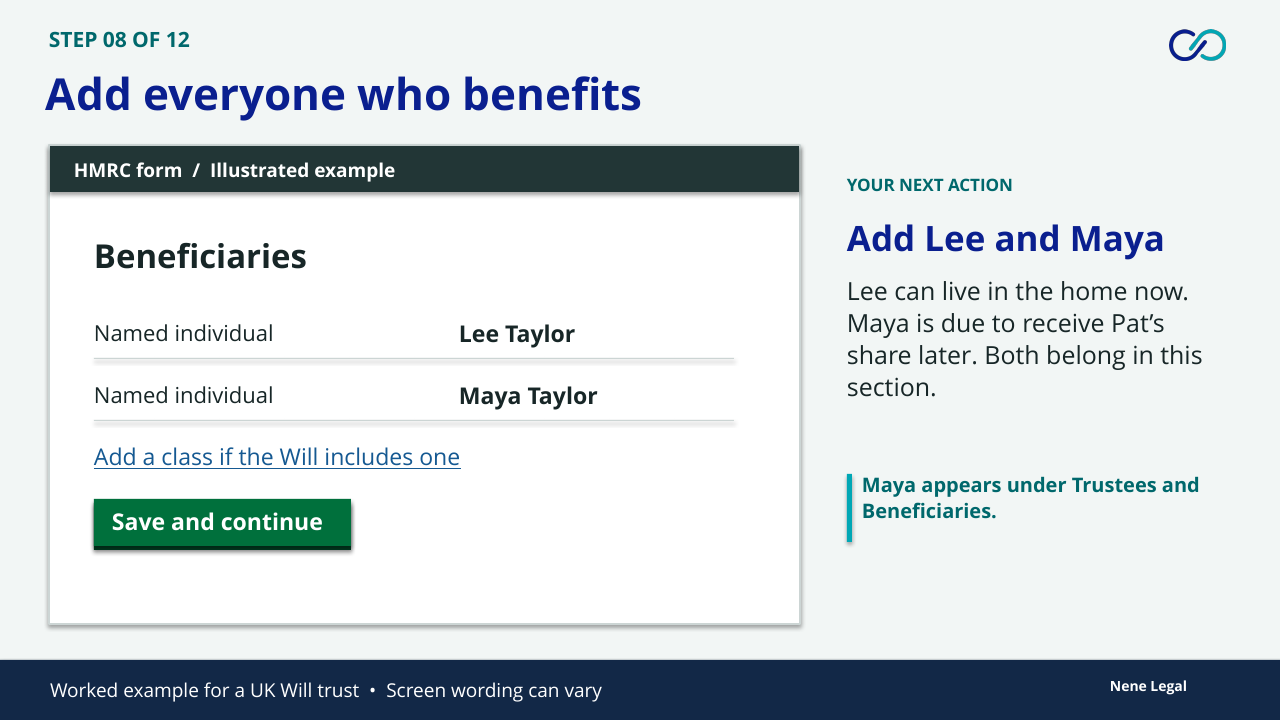
Step 8. Add everyone who can benefit
A beneficiary is someone the trust can help. Lee can live in the home now. Maya is due to receive Pat’s share later. Both go under Beneficiaries, even though they also appear under Trustees. If the Will includes people who cannot yet be identified, such as future grandchildren, follow the prompts for a group or class.
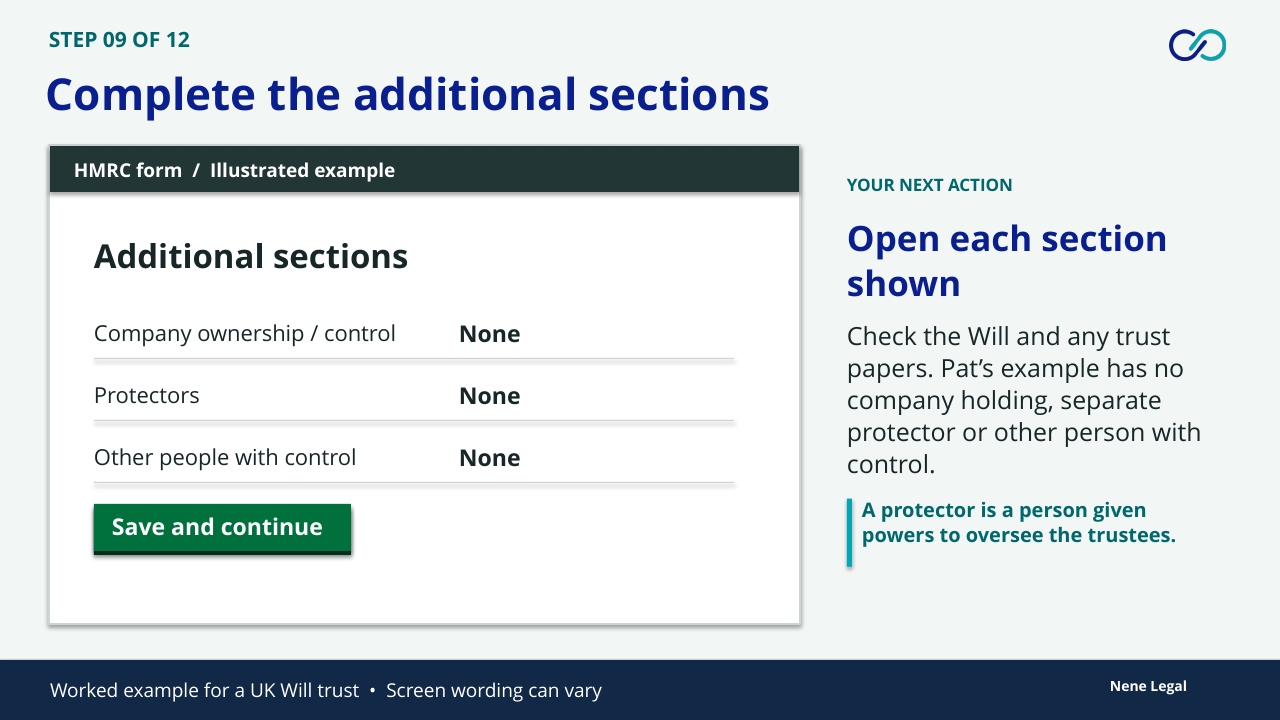
Step 9. Complete the extra sections that appear
The form may ask whether the trust controls a company or whether anyone has special powers over the trustees. A person with certain oversight powers may be called a protector. Pat’s trust has none of these arrangements. Check the wording of your own Will before answering.
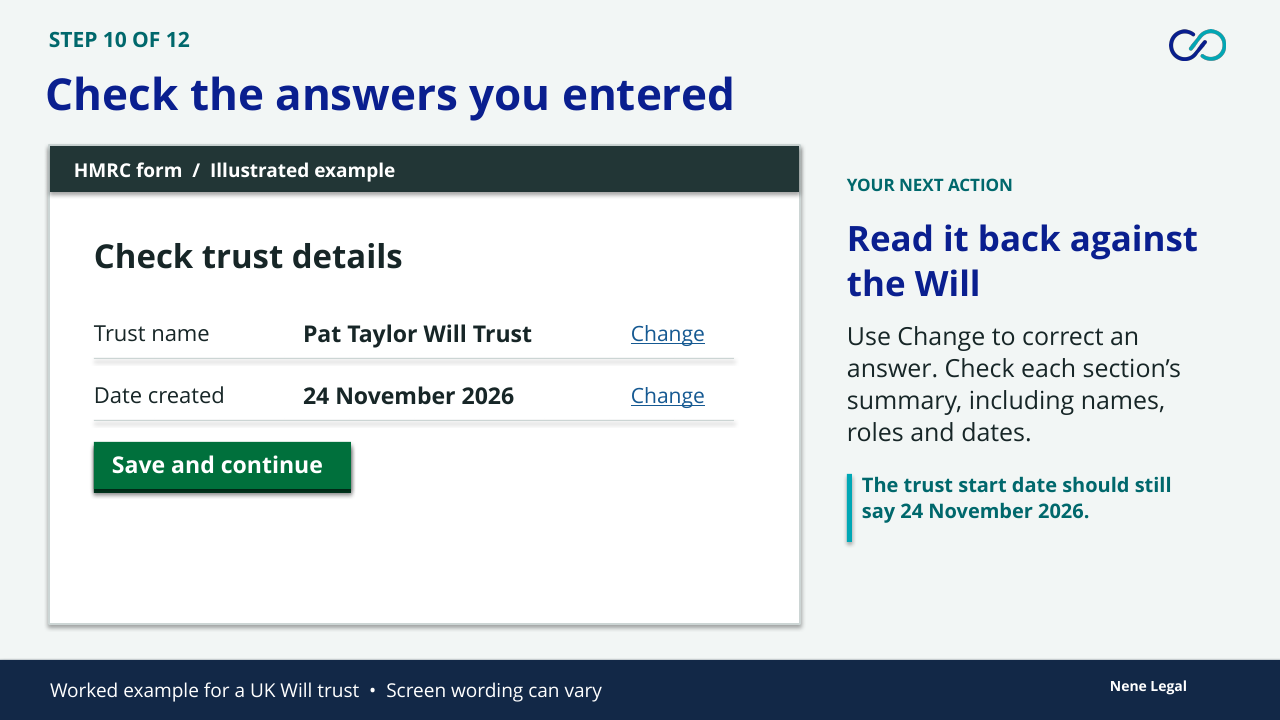
Step 10. Check the answers against the paperwork
Read each summary. Check names, roles and dates against the Will, death certificate and property papers. Choose Change to correct an answer, then save it. Return to the progress page to check that all the required sections are complete.
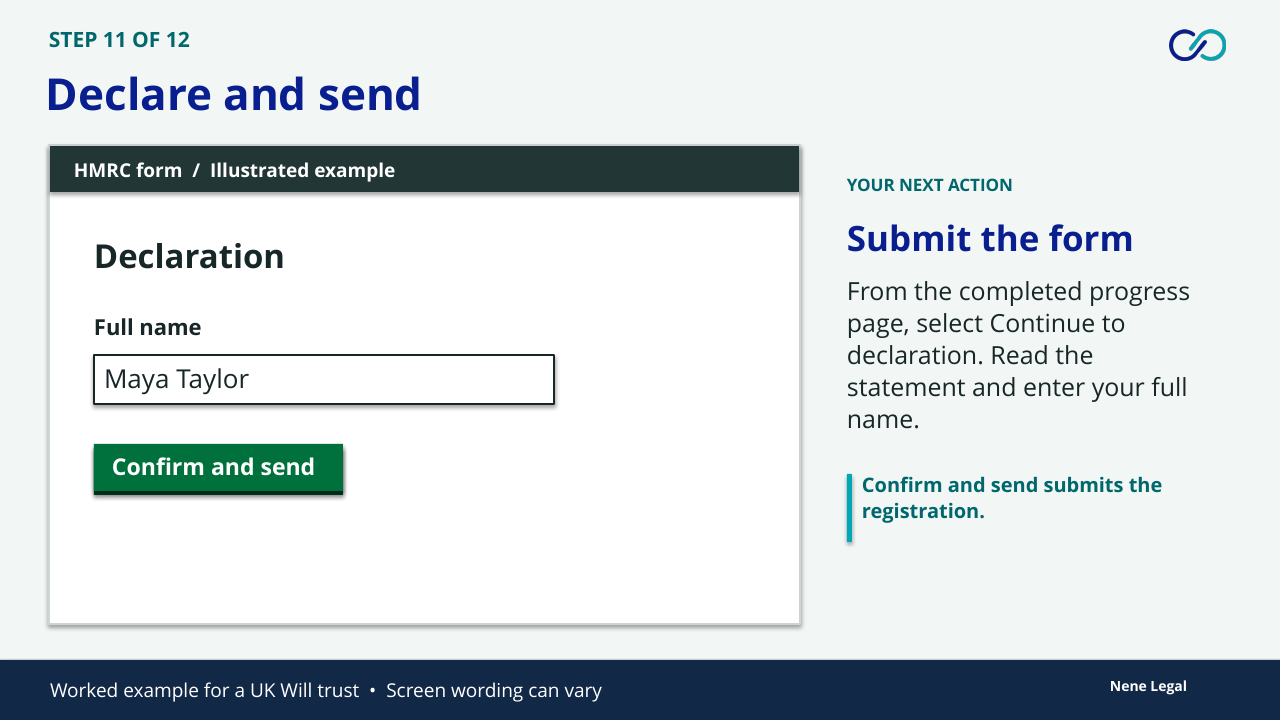
Step 11. Make the declaration and send
Select Continue to declaration, read the statement and enter your full name. Select Confirm and send. Save the confirmation and declaration reference with the trust papers.
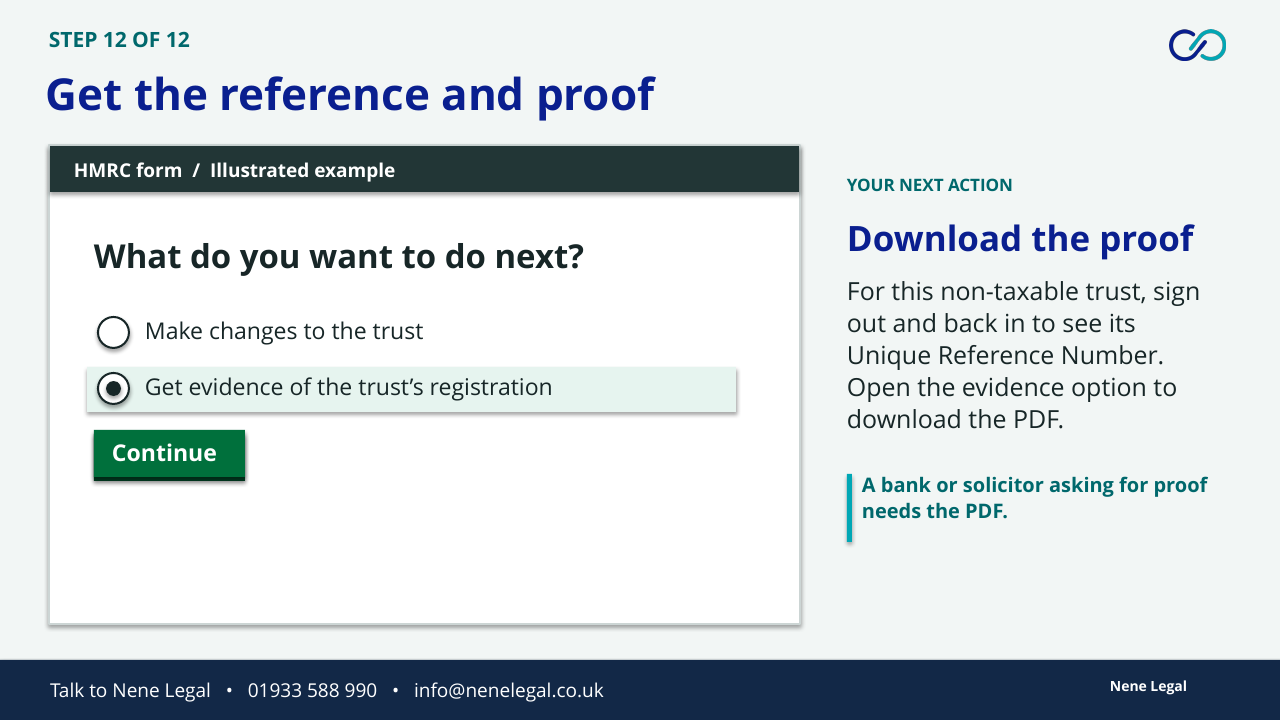
Step 12. Save the trust reference and proof
For a non-taxable trust, sign out and back in to find the Unique Reference Number (URN). If a bank or solicitor asks for evidence, open Manage your trust’s details and download the proof-of-registration PDF. Keep that PDF alongside the declaration you saved.
Does registering the trust change the house deeds?
HMRC records the trust. The register of land ownership is held separately by HM Land Registry. If someone named on the title has died, check how to update the property records or ask your conveyancer what the title needs.
Have a question about the trust in your Will?
We help families in Rushden and across Northamptonshire understand what their Wills say about the family home. Read about property protection trusts in a Will or talk to us at Nene Legal. Call 01933 588 990 or email info@nenelegal.co.uk.